Free & Premium
Moodle LMS & WP Plugins
Do not re-invent the wheel, save time & money by implementing our Free & Premium Plugins, Scripts, Utilities and Reports.



WordPress Biz AutoTracker (Free)
The WordPress Biz AutoTracker Plugin automatically notifies you via email with the number of users who have signed up on your WordPress website within a selected time period—delivering data directly to your inbox without any manual effort.
Get instant visibility with reports presented in the email body—no downloads or attachments—along with both scheduled and on-demand updates for seamless monitoring.You can also download it from the official wordpress site
For deeper insights, including detailed sales data and advanced analytics, upgrade to the Biz AutoTracker (Advanced) version.
Key Features
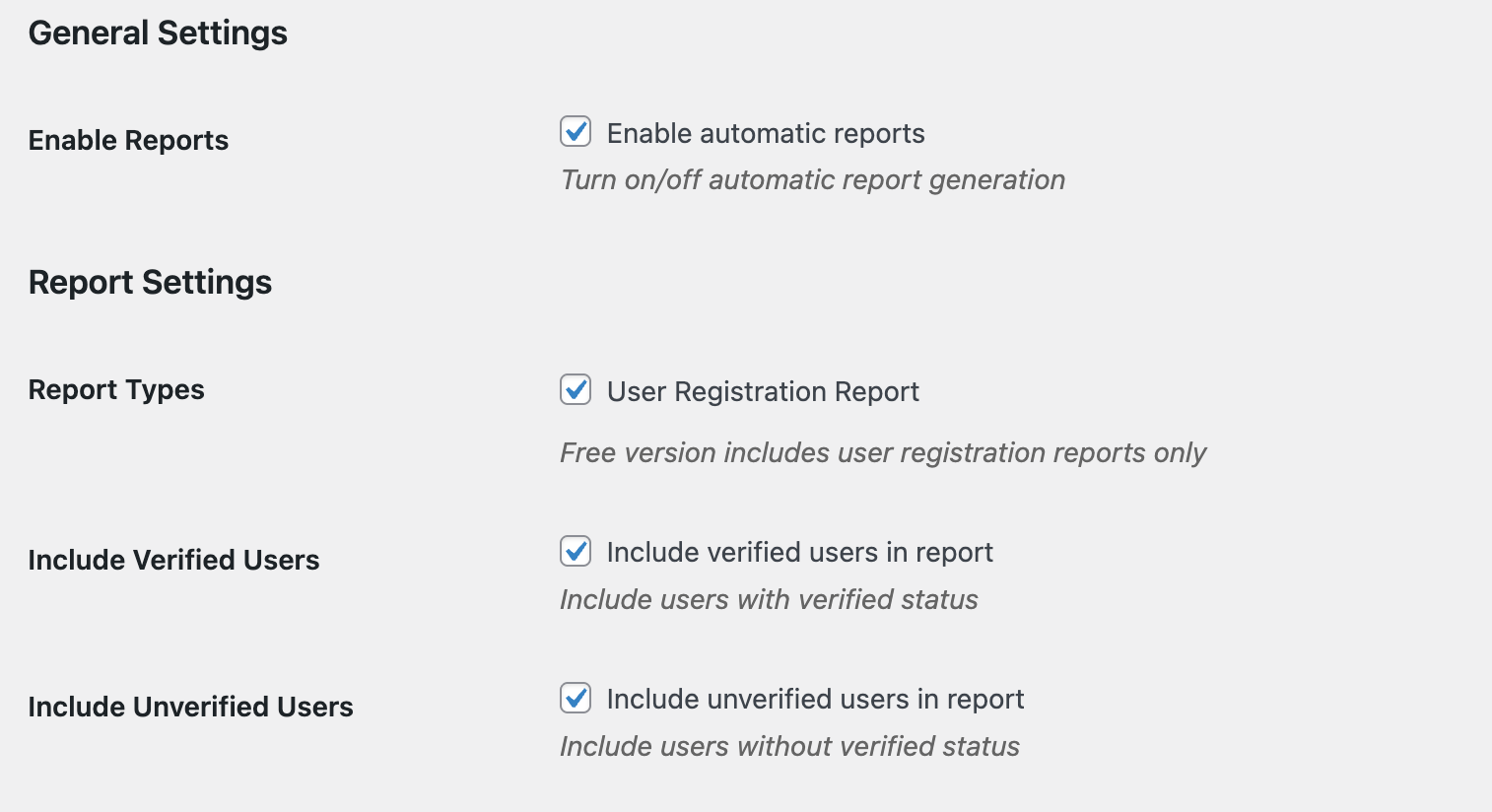
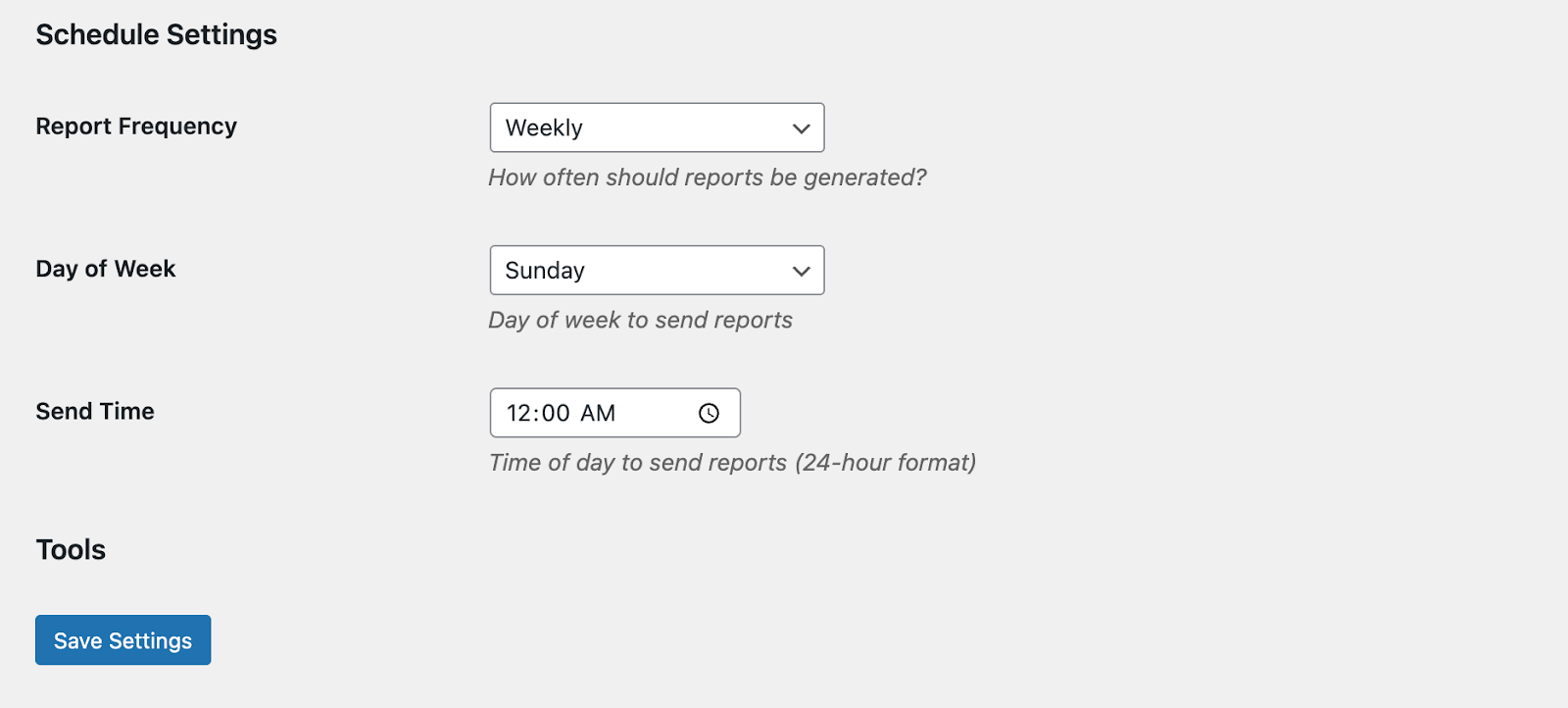
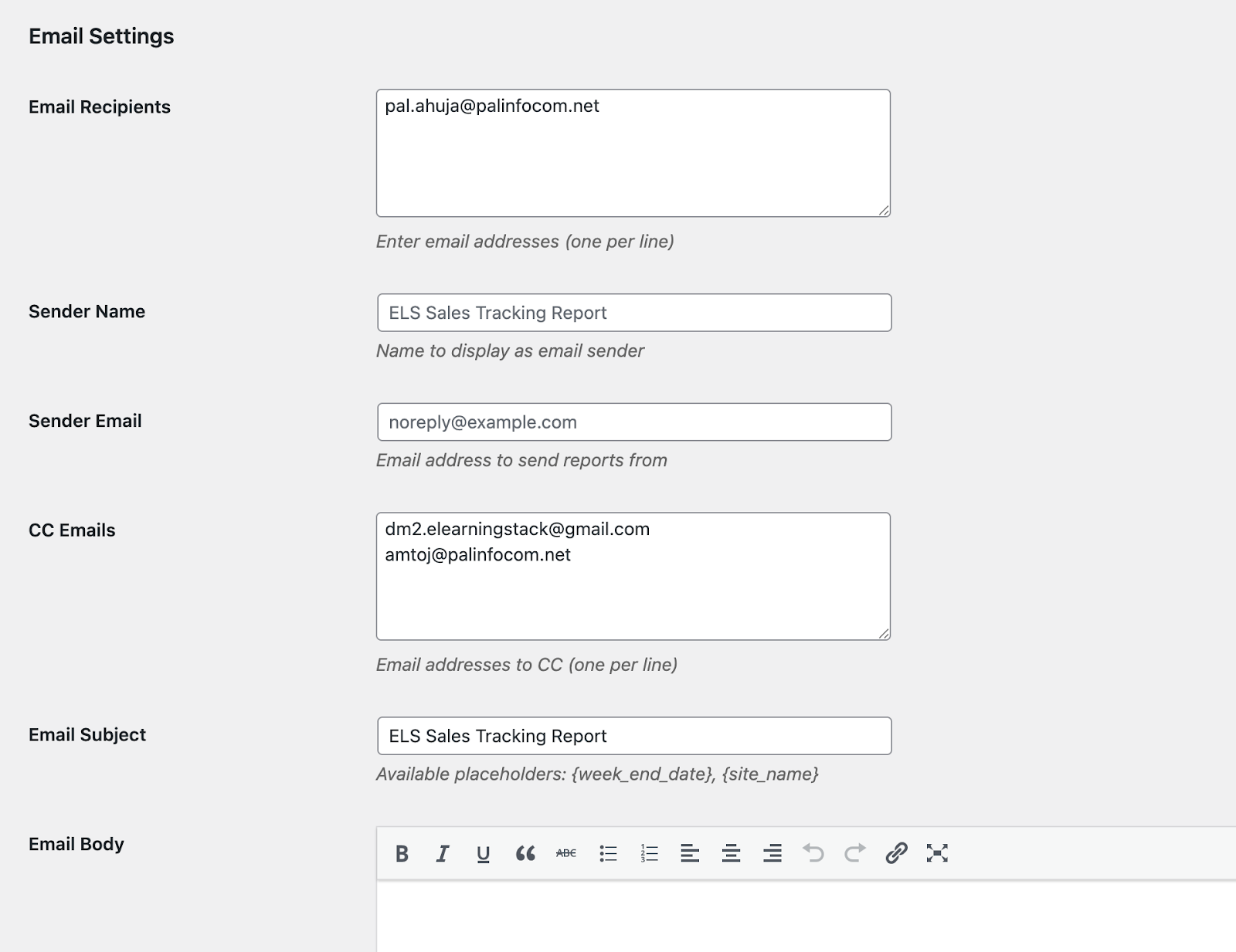
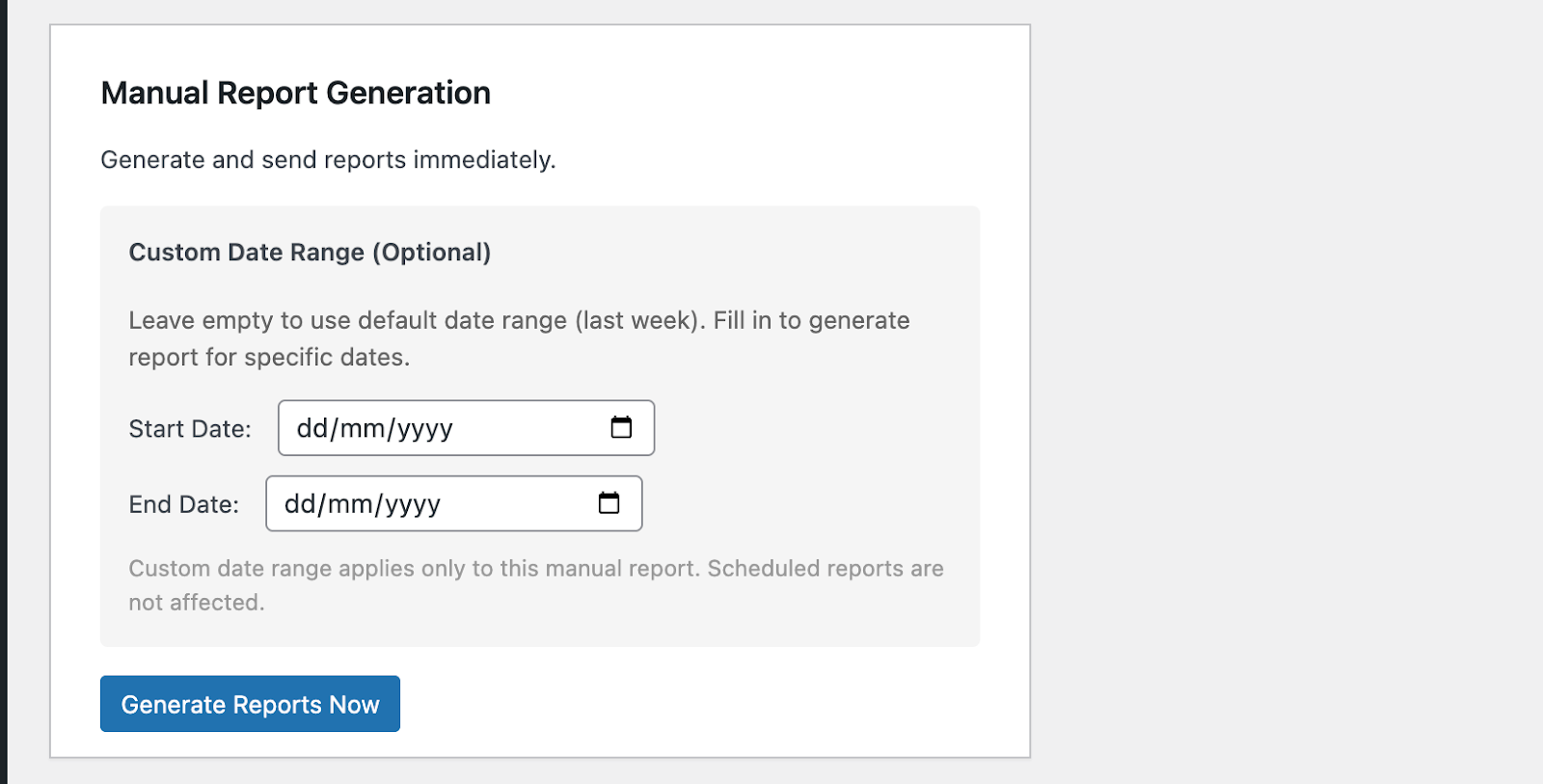
Salient Features

Coding Standards
All our plugins adhere to the WP coding standards and are tested in the most recent versions.

Free Technical Support
Get the free technical support of our tech experts to install the plugins and fix any issue.

New Release Compatible
We regularly work to upgrade the plugins as soon as a new version of WP is released.

Deliverables
Plugin, Operational manual, Support to help with the installation & configuration.

(No Payment Information asked)
Complementing your WP needs.


Frequently Asked Questions
What type of reports are available in the Basic version?
The Basic version supports User Registration Reports only. You can include verified users, unverified users, or both in the generated report.
Can I schedule reports to be sent automatically?
Yes. You can configure reports to be sent automatically on a Daily, Weekly, or Monthly schedule. Once configured, the plugin sends reports automatically without requiring manual intervention.
Can I send reports to multiple recipients?
Yes. You can add multiple email recipients by entering each email address on a separate line. You can also add CC recipients to receive copies of the reports.
Can I customize the email subject and content?
Yes. The plugin allows you to customize the sender name, sender email, email subject, and email body. You can also use dynamic placeholders such as {week_end_date} and {site_name} to personalize your emails.
Can I generate a report manually?
Yes. You can generate reports at any time by selecting an optional custom date range and clicking Generate Reports Now. This does not affect your scheduled automatic reports.
What happens if I don't select a date range for a manual report?
If no custom date range is selected, the plugin automatically uses the default reporting period configured by the system.
How can I verify that my email settings are configured correctly?
Use the Send Test Email option to send a sample report to the configured recipients. This helps confirm that your email settings and report format are working correctly before enabling automatic reports.
When should I use the Clear Cache option?
Use Clear Cache whenever reports display outdated or incorrect data. Clearing the cache refreshes the stored report data so future reports contain the latest information.
What information is included in the automated email report?
The email report includes:
- Report date range
- Total user registrations
- Verified user count
- Unverified user count
- User details such as name, email address, and registration date
This information is presented directly in the email body for quick review without requiring downloads or attachments.

Contact us for any new requirement or query
If you need any Moodle LMS & WP Plugins development or customization of an existing plugin, drop us a message below.
.png)
1500+
eLearning Assets
.png)
10+
MoodleTM LMS & WP Plugins

5000+
Users

100+
Languages
Disclaimer: All Products, Logos and Company names are trademark(TM) of their respective holders. Mention of those on our website do not imply any affiliation with or endorsement by them.