Free & Premium
Moodle LMS & WP Plugins
Do not re-invent the wheel, save time & money by implementing our Free & Premium Plugins, Scripts, Utilities and Reports.


Dictation/C-test Moodle Plugin
Bring interactivity to your Moodle quizzes with the Dictation/C-Test Plugin.(https://github.com/deepaksharma0311/MoodleDictationPlugin) Create engaging audio-based dictation and gap-fill C-test questions that assess listening, comprehension, and grammar skills with precision.
With customizable settings, flexible scoring options, and seamless audio integration, instructors can design dynamic language tests that fit any teaching style. Learners enjoy an intuitive experience, while admins benefit from streamlined creation and grading—all within Moodle.
Key Features
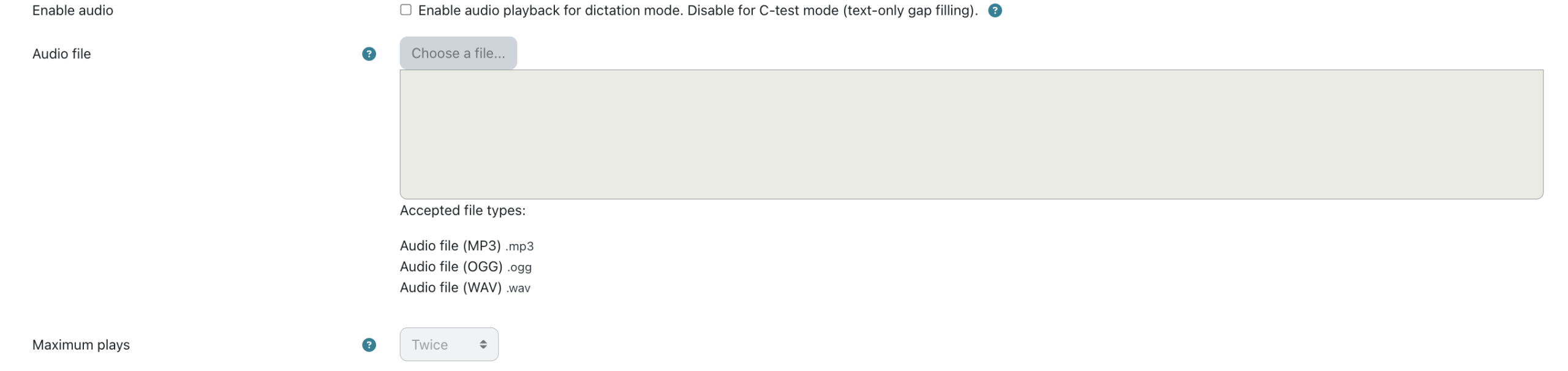
- Audio-Based Dictation Support – Upload and play audio files (.mp3, .ogg, .wav) for listening comprehension.
- C-Test Gap-Fill Questions – Create blanks in text using square brackets [ ] for fill-in-the-blank style assessments.
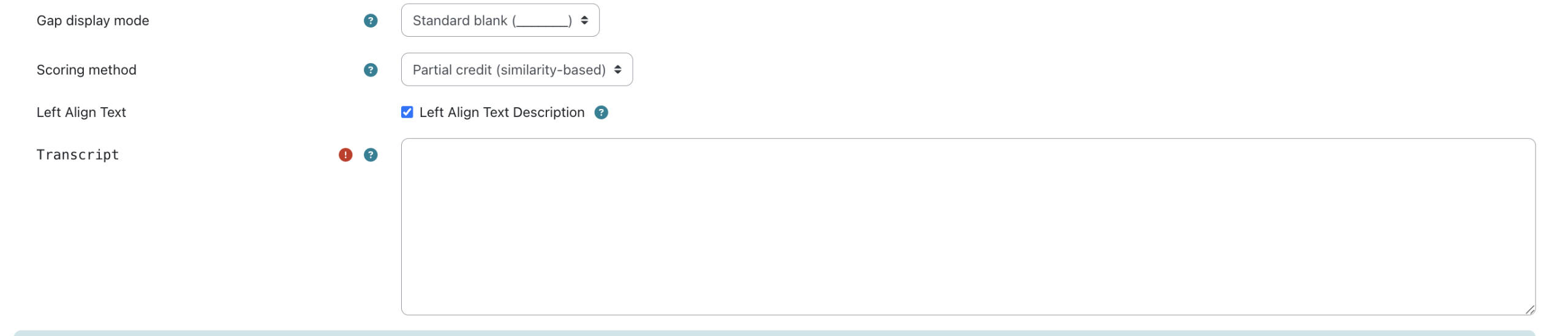
- Gap Display Modes – Choose from Standard Blanks, Length Hints, or Letter Hints for different difficulty levels.
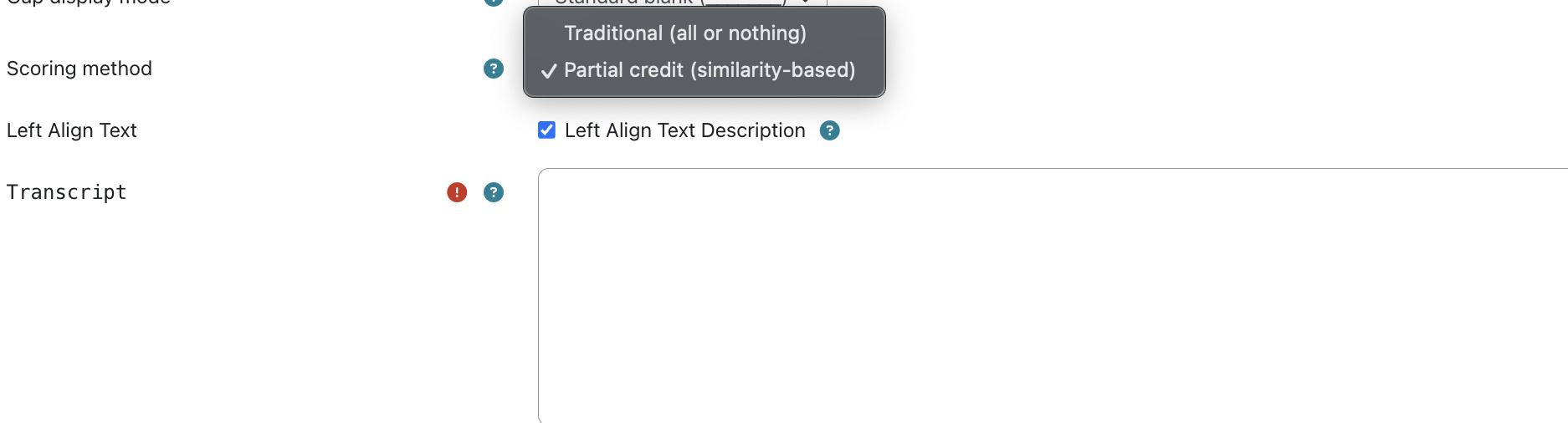
- Flexible Scoring Methods – Support for All-or-Nothing marking or Partial Credit (similarity-based).
- Rich Question Editor – Add formatted text, images, videos, math symbols, and links.
- Preview & Feedback Options – Preview questions before publishing and provide detailed learner feedback.
- Student-Friendly Input – Simple blank boxes for typing answers, with optional hints and audio playback.
Salient Features

Coding Standards
All our plugins adhere to the Moodle LMS coding standards and are tested in the most recent versions.

Free Technical Support
Get the free technical support of our tech experts to install the plugins and fix any issue.

New Release Compatible
We regularly work to upgrade the plugins as soon as a new version of Moodle is released.

Deliverables
Plugin, Operational manual, Support to help with the installation & configuration.



Contact us for any new requirement or query
If you need any Moodle LMS & WP Plugins development or customization of an existing plugin, drop us a message below.
Frequently Asked Questions
Which Moodle versions does the plugin support?
The plugin is fully compatible with Moodle 4.x to 5.x.
How do I create blanks for C-Test questions?
You simply wrap the correct answer in square brackets [ ], and the plugin converts them into fill-in-the-blank fields.
What audio formats can I upload for dictation questions?
You can upload .mp3, .ogg, and .wav audio files for listening-based assessments.
Can I adjust the difficulty of gap-fill questions?
Yes. You can choose between Standard Blanks, Length Hints, or Letter Hints depending on the difficulty you want.
What scoring methods does the plugin offer?
It supports All-or-Nothing scoring and Partial Credit based on answer similarity.
Can I preview questions before making them live?
Yes. The plugin includes a preview mode so instructors can check audio, blanks, and scoring settings before publishing.
Does the plugin support rich question formatting?
Absolutely. You can add formatted text, images, videos, math symbols, and links within the question editor.
How do learners interact with the questions?
Learners listen to the audio and type their answers into user-friendly blank boxes, with optional hints available.
Is grading automated?
Yes. The plugin automatically evaluates learner responses using the selected scoring method for quick and accurate grading.
What's the maximum audio file size?
This is determined by your Moodle installation's file upload limits. Check **Site administration → Security → Site policies → Maximum uploaded file size**.
Do I need to configure anything after installation?
No special configuration is required. The plugin works out of the box. However, you may want to check your Moodle file upload limits if you plan to use large audio files..
.png)
1500+
eLearning Assets
.png)
10+
MoodleTM LMS & WP Plugins

5000+
Users
100+
Languages
Disclaimer: All Products, Logos and Company names are trademark(TM) of their respective holders. Mention of those on our website do not imply any affiliation with or endorsement by them.