Free & Premium
Moodle LMS & WP Plugins
Do not re-invent the wheel, save time & money by implementing our Free & Premium Plugins, Scripts, Utilities and Reports.



Moodle Login with OTP & Registration Plugin
Seamless. Secure. Hassle-Free Access.
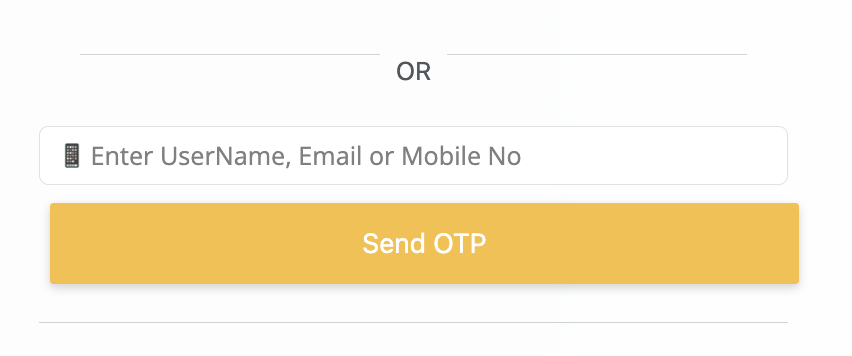
The ELS Moodle Login with OTP & Registration Plugin transforms the way users access your Moodle platform by introducing secure, password-free authentication through one-time passcodes (OTP). Designed for convenience and reliability, it enables users to log in or register effortlessly using their email or mobile number—enhancing both security and user experience.
Key Features
OTP-Based Login
Easy User Registration
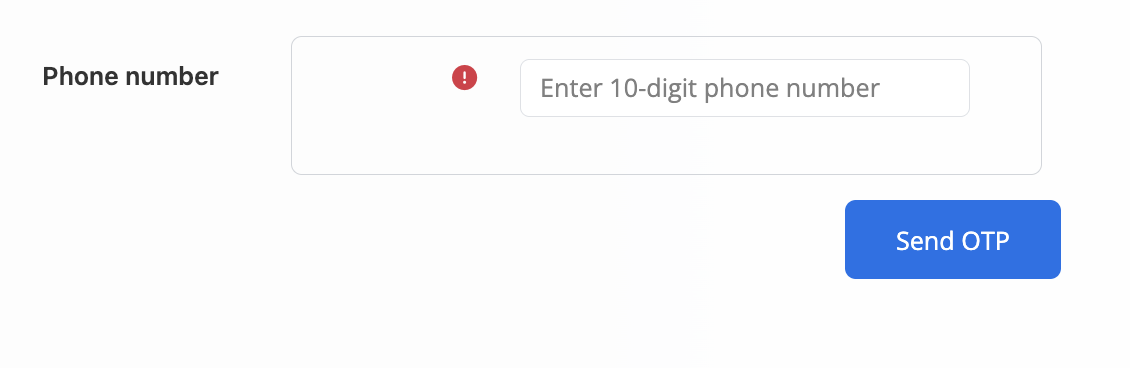
Phone Number Feature (Backend Controlled)
OTP Verification During Registration
Enhanced Security
Salient Features

Coding Standards
All our plugins adhere to the Moodle LMS coding standards and are tested in the most recent versions.

Free Technical Support
Get the free technical support of our tech experts to install the plugins and fix any issue.

New Release Compatible
We regularly work to upgrade the plugins as soon as a new version of Moodle is released.

Deliverables
Plugin, Operational manual, Support to help with the installation & configuration.

within 7 days. (T&C apply)



Contact us for any new requirement or query
If you need any Moodle LMS & WP Plugins development or customization of an existing plugin, drop us a message below.
Frequently Asked Questions
How does OTP-based login work?
Users enter their email or mobile number on the login page, receive an OTP instantly, and use it to access their account securely.
Can I enable login via mobile number only?
Yes. The admin can choose to enable or disable phone-number-based login from the backend settings.
Does the plugin support both login and registration?
Absolutely. New users can register using OTP verification, and existing users can log in with the same OTP-based process.
Is OTP verification secure?
Yes. OTPs are time-sensitive and sent directly to the user’s verified email or phone, significantly reducing password-related security risks.
What happens if a user doesn’t receive the OTP?
They can request a resend. Admins can also check if the email/SMS service is configured correctly in Moodle.
Does this plugin work with all Moodle themes?
Yes. The plugin is designed to be theme-compatible and responsive across devices
Can existing users still use their passwords to log in?
It depends on your configuration. The user can Login using any of the two options.
Is any third-party service required for sending OTPs?
For SMS OTPs, you’ll need an Twilio SMS gateway API . Email OTPs work with Moodle’s email SMTP settings.
Where do users update the phone number ?
Plugin will use the user's default phone number field in the user profile to send OTP.
.png)
1500+
eLearning Assets
.png)
10+
MoodleTM LMS & WP Plugins

5000+
Users

100+
Languages
Disclaimer: All Products, Logos and Company names are trademark(TM) of their respective holders. Mention of those on our website do not imply any affiliation with or endorsement by them.